
Google Lens is the most accessible reverse image search engine for everyday lookups, but it doesn’t specialize in identifying faces!
If you need to spot fake pictures, verify original upload dates, or search outside of Google’s index, try these 7 effective Google Lens alternatives.
1. CatfishLens – Best for Detecting Scams and AI-Generated Images
CatfishLens is a face-search tool that identifies fake accounts on public social media and dating sites.
It checks for the same face appearing under different names or details, then assigns a risk label: clean, suspicious, or high-risk.
With its built-in AI detection, CatfishLens can spot AI-generated or altered photos from Tinder, Bumble, Hinge, TikTok, LinkedIn, and Reddit, helping users avoid automated catfishing.
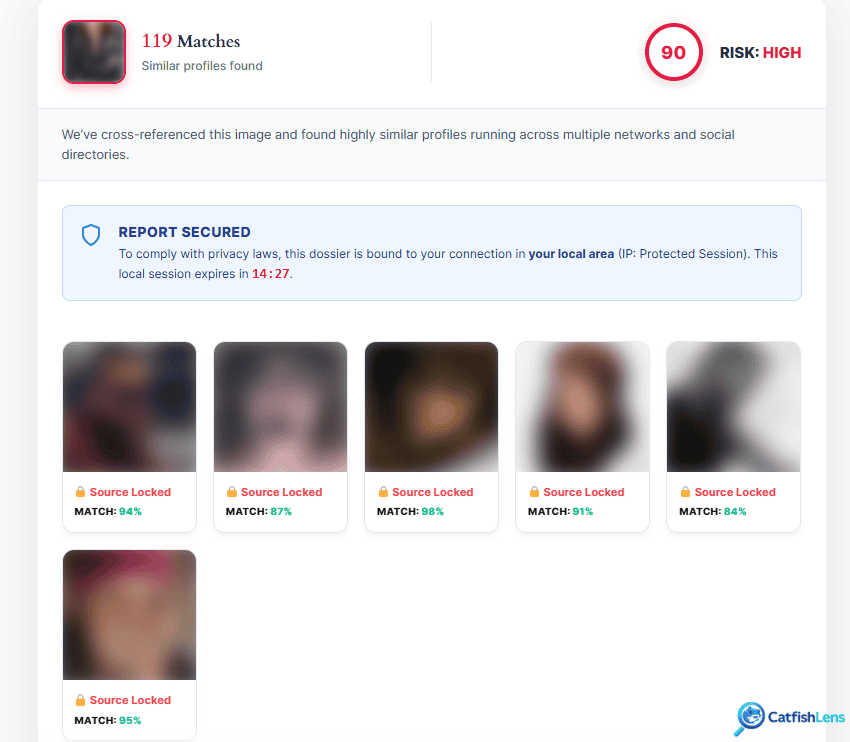
Users can upload JPG, PNG, WebP, or BMP files up to 6 MB in any web browser. Don’t worry. Your images are deleted right after processing!
You can try CatfishLens for free, then unlock search results at $7.95 for 2 searches or $10.95 for 5.
2. Yandex Images – Best for Finding Popular Reposted Photos
Yandex Images is a free reverse image search tool worth trying when Google Lens misses a photo.
Yandex works better than Google for Russian and Eastern European sites. It’s powerful and finds face matches from different photos, even when poses or backgrounds change.
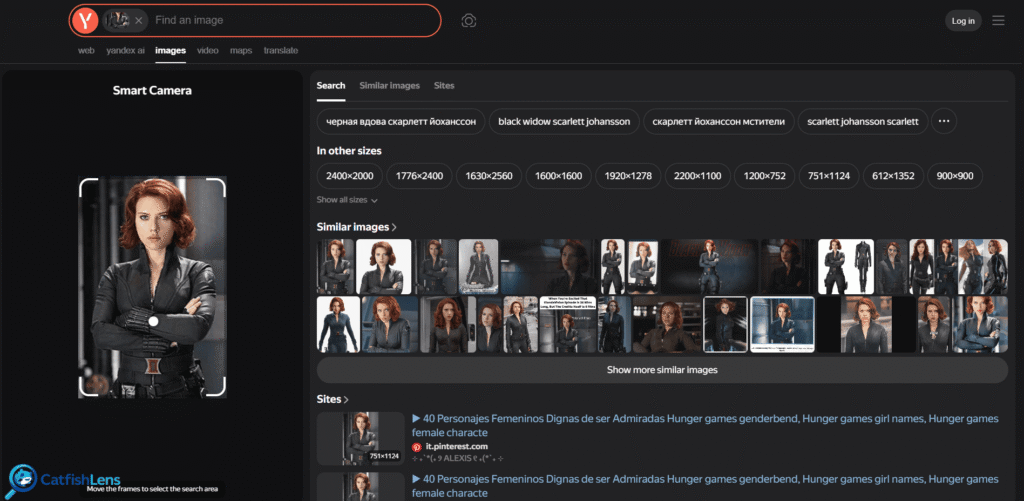
Yandex offers several filters to help you find the right image:
- Size: Find larger or smaller versions
- Color: Match a specific color
- Format: Choose the file type
- Date: Narrow results by date
- Domain: Check a specific website
Search by uploading an image, pasting a URL, or using your camera to access hundreds of matches, sources, and similar photos.
*Yandex may collect data, and its interface is in Russian, but you can easily translate it through settings.
3. PicDetective – Best for Focused Multiuse Reverse Image Searches
PicDetective is a reverse-image lookup engine that finds exact photo matches and edited versions on the web for free.
While Google focuses on identifying objects, extracting text, and finding links and context, PicDetective traces where your image (face, product, or location) has been reused, resized, or cropped online.
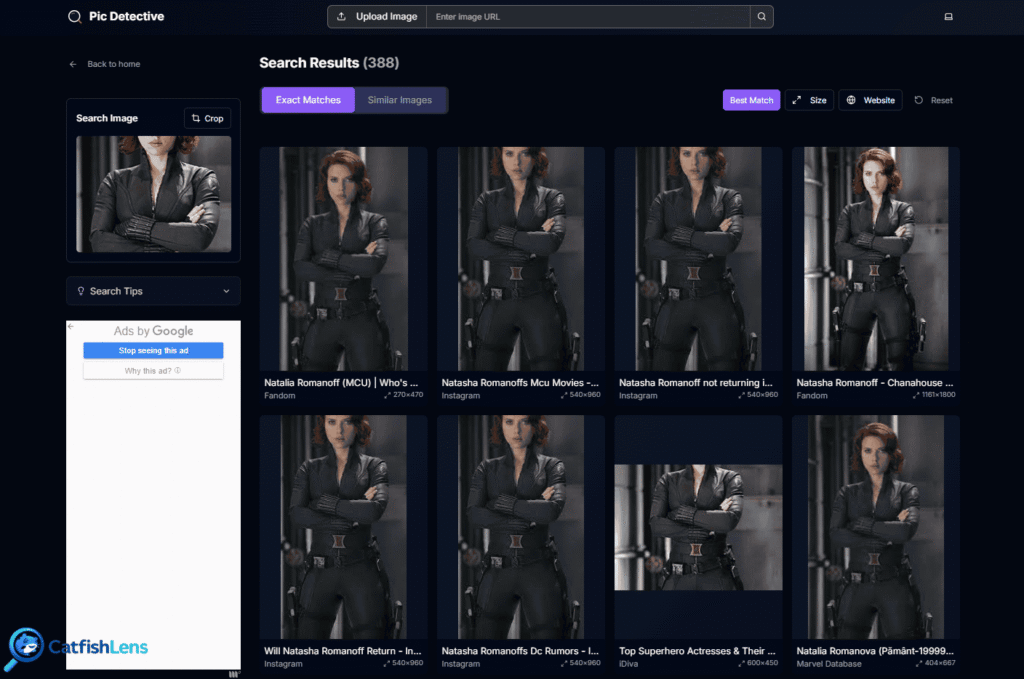
You can copy and paste an image or upload JPG, PNG, WebP, or iPhone HEIC files directly without converting them.
Despite having an index of 146 billion images, PicDetective sometimes fails to find newer photos. Still, it’s completely free with unlimited searches and no data storage.
*PicDetective uses cookies to track your activity and target ads to you.
4. Bing Visual Search – Best All-Round Alternative to Google Lens
Bing Visual Search is a free, all-in-one image search engine built to scan real-world items, text, and screenshots.
Unlike Google Lens, which requires Google services or Android tools, Bing connects with Windows, Microsoft Edge, and the Snipping Tool to enable searching images at any time.

Much like Google Lens, Bing Visual Search can detect:
- Plants
- Animals
- Locations
- Text.
It also suggests shopping links for clothes or decor spotted in pictures. Its built-in math solver also breaks down equations step by step.
*Bing tends to prioritize shopping links over matching faces, and Microsoft saves users’ search activity under its standard privacy terms.
5. CopySeeker – Best for Photo Source Tracking
CopySeeker is a specialized reverse face search tool that finds original or altered copies of images online. It also works for detecting stolen, misused, or explicit photos.
Compared to Google’s broader image search, CopySeeker focuses on faces. It searches different sources for exact matches, ignores background details, and gives trusted websites priority.
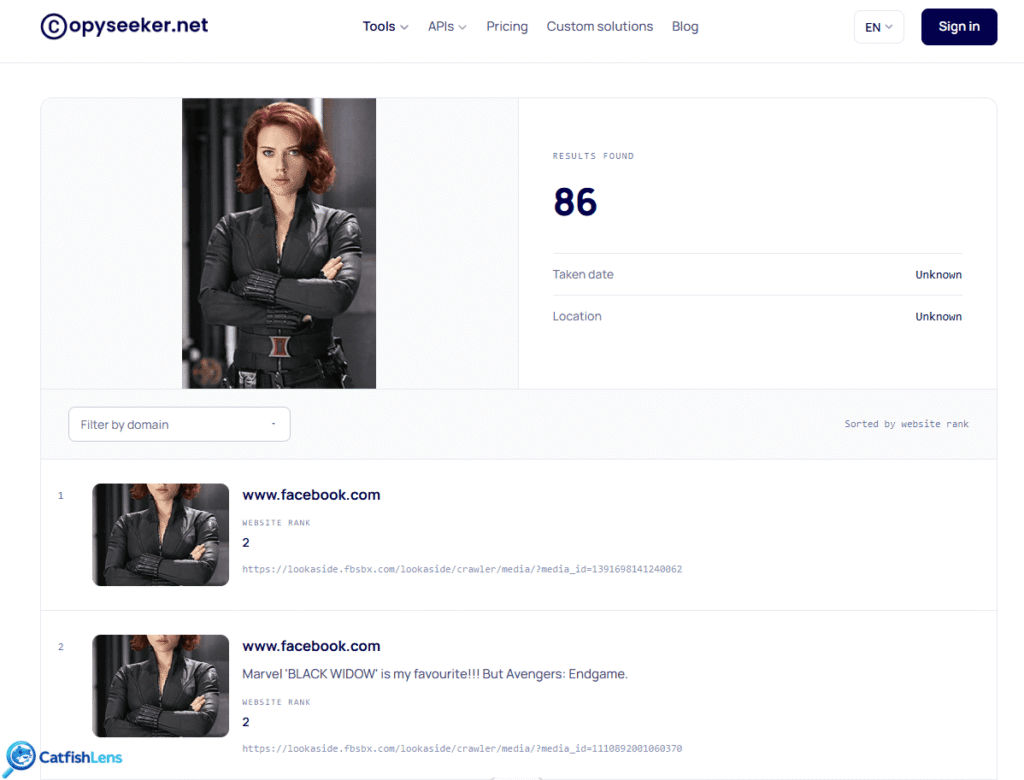
CopySeeker also offers three extra tools:
- Text extraction: Reads text in photos
- AI detection: Spots potentially AI-made images
- NSFW detection: Flags adult or graphic images
For more advanced searches, you can use domain filters, copyright tools, and API access. However, CopySeeker’s smaller index limits the number of matches.
You can search for free without an account or choose a subscription:
- $9 monthly
- $90 yearly
- $450 lifetime
6. Photo Sherlock – Best for Quick Mobile Image Searches
Photo Sherlock is a site and mobile app for iOS and Android that runs picture lookups through Bing and CopySeeker.
It’s super convenient for testing different search engines without swapping apps, and you can easily crop out background clutter, rotate photos, or resize files for quick mobile uploads.

Unlike Google, which lets you look up images for free, Photo Sherlock has ads and limits for daily lookups. Other downsides include:
- It shares your location, purchase history, device IDs, and photos with third parties.
- It collects your user IDs, app activity, failure reports, and diagnostic data.
- Performance is noticeably worse on Android than on iOS.
7. TinEye – Best for Finding Older Copies of Photos
TinEye is one of the original reverse image search engines with an index of over 86 billion images.
Compared to Google Lens, which scans social media and other sites for visually similar matches, TinEye searches for exact matches only across articles, blogs, and news reports.
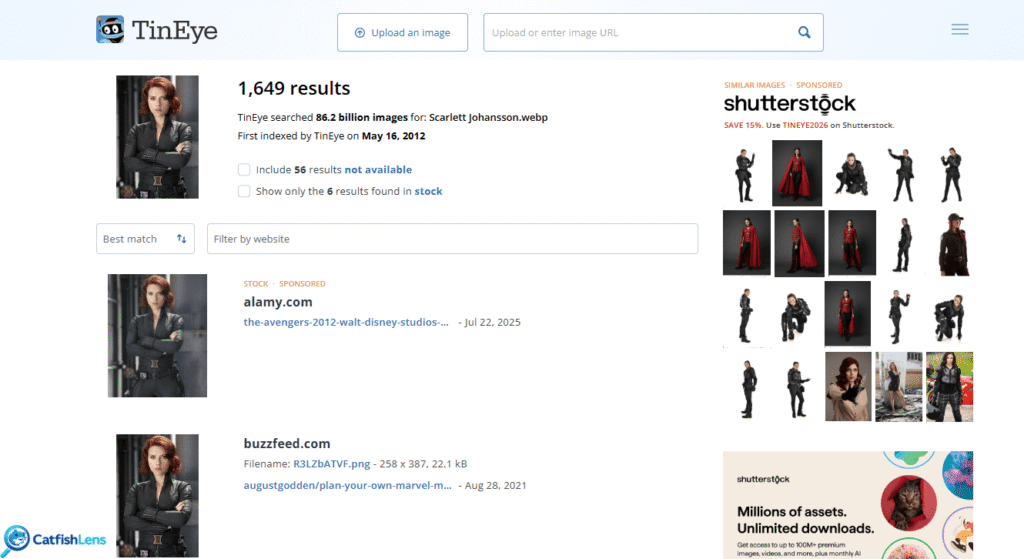
*Its narrow focus often returns fewer matches, especially for new photos.
TinEye offers 150 free daily searches, filters to help locate original sources and recycled images, and paid plans for commercial use:
- $200 for 5,000 searches
- $300 for 10,000 searches
- $1,000 for 50,000 searches
- $10,000 for 1,000,000 searches
Which Tools Find Faces Better Than Google Lens?
Google Lens isn’t always reliable for face searches. You can use these facial recognition tools instead:
ProFaceFinder ➡️ Tracks suspicious photos from publicly available results on dating apps such as Tinder, Bumble, Hinge, and OkCupid.
PimEyes ➡️ Finds matching faces on news sites, blogs, and public websites, with optional photo-monitoring alerts.
CatfishLens ➡️ Checks for reused photos, potential scam profiles, and AI-generated faces on dating apps, social media, and other platforms (TikTok, LinkedIn, Reddit, and more).
Yandex & Bing ➡️ Most similar to Google. Both tools are free and effective for popular content. Yandex is typically stronger for face searching.
Photo Sherlock ➡️ Convenient for looking up a photo through different engines. It allows you to crop images for better results.
CopySeeker ➡️ Great for finding copies of face photos online. Its engine focuses more on photos than Google Lens does.
TinEye ➡️ Has a narrower scope, but usually finds few (but accurate) results for faces found online.
CatfishLens and ProFaceFinder work best for detecting dating scams and AI-generated images, whereas PimEyes and Protevio offer stronger monitoring and removal features for finding and protecting your own photos.
 English
  German
  French
  Dutch
Dutch  Spanish
  Portuguese
Leave a Reply